


Asking for an online review feels awkward to most owners, so they skip it or send a stiff message once a quarter. A short, personal request at the right moment works better, and it takes about ten seconds.
Below are the review request templates we write for clients, for every channel and the situations owners run into most. Change the names and details, keep the structure, and use them with every customer.
Can you ask customers for Google reviews?
Yes. Google's policy lets businesses encourage genuine reviews. It also gives every Google Business Profile a review link and a QR code for that purpose. The rules are about how you ask for reviews.
- Ask every customer. Google bars asking only the happy ones.
- Ask for honesty. Never request a five-star rating or set wording.
- Offer nothing. No discount, gift or entry for a review.
- Let them choose when. Don't pressure anyone to review while they're still at your business.
The FTC's consumer review rule adds a legal side. It bans fake reviews and any reward tied to a positive review. Google goes further and bans rewards for any review at all. Our guide on whether it's legal to buy Google reviews covers the rule in detail.
What a good review request includes
Every template below has the same five parts. If a message misses one, people tend to ignore it.
- Their first name, so the message reads as personal, not automated.
- The specific work you did, such as "your AC repair today" or "your cleaning on Friday."
- A plain question, like "Would you share how it went on Google?"
- Your direct review link, which opens the review box in one tap.
- A short thank-you, with your name or the tech's name at the end.
Keep it under 50 words. Long messages feel like marketing, and people skip them. Get your link from your Business Profile under Read reviews, then Get more reviews. The steps to get more Google reviews cover each screen.
Review request templates you can copy
In person, at the end of the job
"Thanks for having us out today, Maria. If you have time later, a Google review really helps a small business like ours. I'll text you the link so it's easy."
Say it once, then let it go. The text that follows does the rest.
Text message (SMS) template, the same day
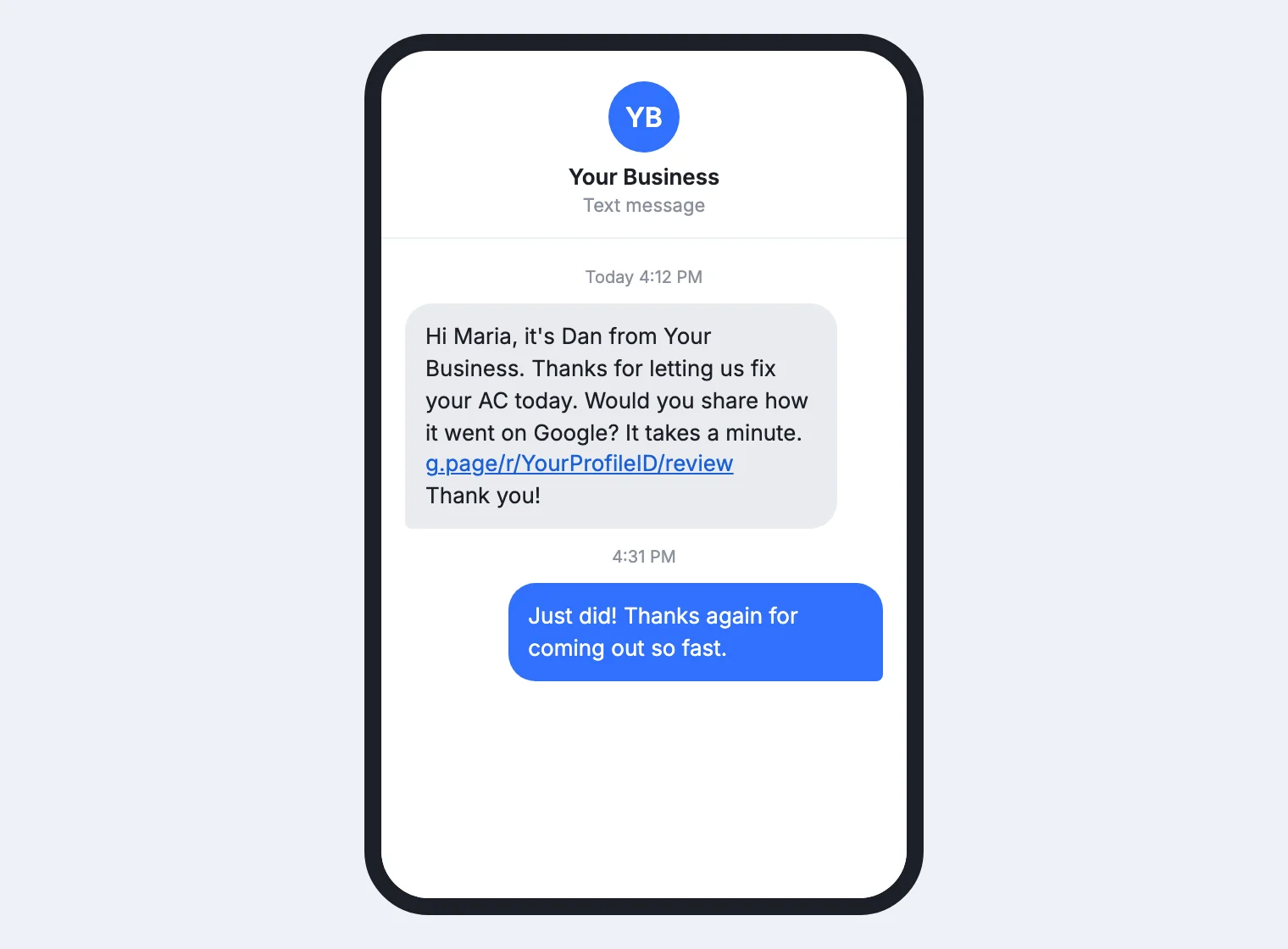
"Hi Maria, it's Dan from [Business]. Thanks for letting us fix your AC today. Would you share how it went on Google? It takes a minute. [link] Thank you!"
Email template for longer projects
"Hi Maria, thank you for trusting us with your kitchen. We'd value your honest feedback on Google, good or bad. It helps neighbors choose a contractor, and it helps us improve. You can leave a review here. [link] Thanks again, Dan"
Use a subject line like "How did we do on your kitchen remodel?" and email it the day after the final walkthrough. Put the link on its own line, so it's easy to tap.
Phone call, when you check in after a big job
"Hi Maria, it's Dan from [Business]. I'm calling to see how the new AC is doing. If you get a chance this week, would you share how it went in a Google review? I'll text you the link right after we hang up."
Make the call a day or two after the job. Use the same words whether the news is good or not, and fix any problem the customer raises before you text the link.
When a customer praises the work
"Thank you, Maria, that means a lot to the crew. Would you mind sharing that on Google? I'll text you the link."
People who praise a job out loud are the most likely to write it down, so make the request right then. Everyone else still gets the standard text.
After you fix a problem
"Hi Maria, thanks for your patience while we sorted out the thermostat. If you have a minute, we'd appreciate an honest review of how we handled it. [link] Dan"
Send it once you've fixed the problem, not while it's still open. Never offer anything for changing or removing a negative review, which Google's policy bans outright.
One reminder, three days later
"Hi Maria, a quick reminder in case my last text slipped past you. Your review would mean a lot to our team. [link] Thanks, Dan"
Send one reminder only. A second one reads as pressure, and it can turn a happy customer into a bad review.
Repeat and business clients
"Hi Tom, thanks for another year of service at your Pine Street office. Would you share an honest Google review of our work? It helps other property managers find a crew they can count on. [link] Dan"
Make this request once, after a milestone such as a finished project or a year of service, not after every visit.
A line for invoices and receipts
"How did we do? Share an honest review on Google. Scan the code or visit [short review link]."
Pair this line with a printed QR code. Our QR code guide shows how to make one and where to put it.
A social media post
"Thank you to everyone who hired us this year. If we worked for you, we'd love your honest review on Google. [link]"
Post it a few times a year, not every week. It reaches past customers who never got a text from you.
Which channel works best
Most local businesses do best with an in-person request plus a text. Email fits long projects, and a printed card catches the rest.
| Channel | Works best for | One tip |
|---|---|---|
| In person | Home services, clinics and shops | Ask once, then text the link |
| Text message (SMS) | Customers who gave you a mobile number | Text it within an hour of the job |
| Long projects and B2B clients | Put the link on its own line | |
| Phone call | Big jobs with a check-in call | Text the link before you hang up |
| Printed QR code | Invoices, receipts and service cards | Add a short line that says why |
Timing matters as much as the channel. A same-day request reaches customers while the job is fresh, and a week later most of them have moved on.
Texting has its own rules. Text only customers who gave you their number and agreed to hear from you that way. Your texting provider also registers your number with the carriers for A2P 10DLC, and every text should honor replies like STOP. Our guide to SMS marketing covers consent and opt-outs.
If your team handles many jobs a day, a system that texts the link after each one keeps it consistent. Our lead generation service builds those requests into lead follow-up, so no customer slips through.
After the review comes in
Reply to every review within a day or two. Thank happy customers by name and mention the job, which shows the next reader you pay attention. For negative feedback, reply calmly, state the facts and offer to talk offline. Our guide to responding to reviews has response examples for both, so you can respond in minutes.
Reviews also do work on your website, where they help visitors trust you. Our website trust answer shows where to place them. Practices with patient privacy rules should read our guide on how to ask dental patients for reviews.
Common questions about asking for reviews
How do you politely ask for a Google review?
Thank the customer by name, mention the work, and ask if they'd share how it went. Send the direct link, so it takes one tap.
How do I ask for a review without sounding pushy?
Make one request in person, one by text and a single reminder. Keep each message short and about their experience, then stop.
Can I ask customers for a five-star review?
No. Ask for an honest review instead. Google treats attempts to steer what reviews say as rating manipulation, and honest reviews earn more trust anyway.
What if a customer had a problem?
Fix the problem first, then send the same request you send everyone. Never skip unhappy customers, because Google treats selective asking as rating manipulation.
Does it cost anything to get Google reviews?
No. Google reviews, the review link and the QR code are all free. Some businesses pay for software that sends requests automatically, but it's optional.