
Plumbers, cleaners, pest control companies and mobile groomers work at the customer's door, not at a counter. Many run from a home office or a yard they'd rather keep private. Google lets them hide that address and still appear in local results.
Hiding the physical location changes how you rank, though. This guide to service area business SEO covers Google's rules and where your map listing can reach. It also shows how town pages on your website fill the gaps.
How Google treats a service-area business
Google's rules for a service-area Google Business Profile are short, and breaking them is the fastest way to a suspension. Remove the address if customers don't visit you there. List up to 20 cities or ZIP codes you really serve, within about two hours' drive of your base. Keep one profile for the whole business.
A business that also welcomes customers at its address is a hybrid. It shows the address and lists the places it serves too.
Where your map listing can reach
Google's local ranking looks at relevance, distance and prominence. Distance applies to every business, even one that hides its address. So your map listing tends to show best near your base and weaker in the far corners of your area.
Setting service areas makes your profile easier to find, Google says, but that's no promise of rankings in all 20 places. That's why the website matters more for a service-area business than for a shop with a front door.
- Near your base, the map listing does most of the work for you.
- Across your area, service pages and area pages catch organic searches.
- In towns you add later, ask early customers for a review and a photo.
Build town pages that aren't copies
A town page earns its place when it says something true about that town. Google's spam policy calls this doorway abuse. City pages that exist only to push visitors toward one main page are a named example. Pages that only swap the town name look exactly like that.
- Opens with something true about that town
- Lists the ZIP codes you serve there
- Shows reviews from customers in that town
- Gives scheduling details for that town
- Swaps the town name into the same text
- Repeats every other page word for word
- Shows no local reviews or photos
- Lists no ZIP codes or local details
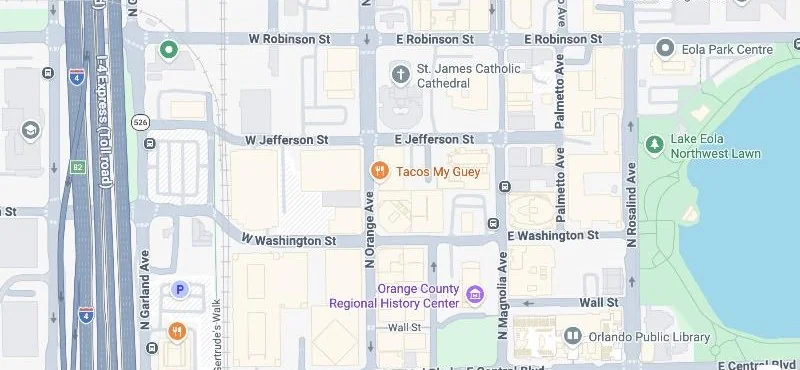
For example, our client Pink Upholstery Cleaning runs 21 town pages across greater Orlando, from Winter Park to Kissimmee. We built all 21 town pages as part of our SEO for cleaning companies. Each one carries details only that town has.
- A local opening line, like the delicate fabrics common in Winter Park homes.
- The ZIP codes served, such as 32789 and 32792 for Winter Park.
- Reviews from nearby customers, pulled from the business's Google profile.
- Scheduling details for that area, like next-day visits.
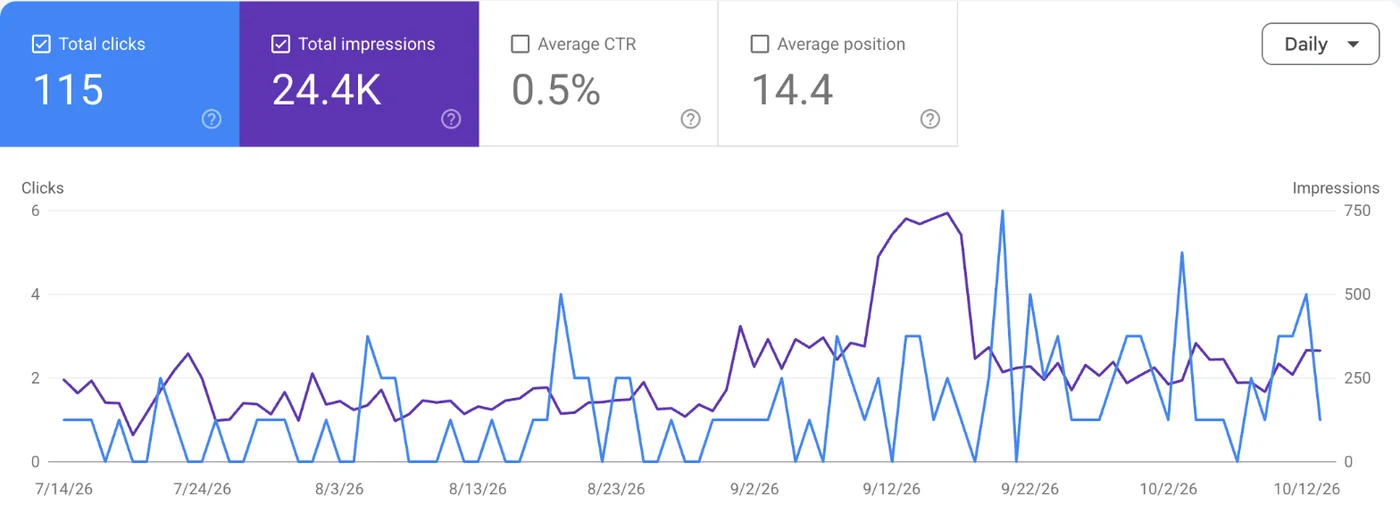
Over three months, the site earned 24,400 impressions and 115 clicks from Google search, shared between service and town pages. Impressions far ahead of clicks usually mean pages rank on page two or lower. The next step is moving the best town pages up, which takes reviews, photos and links from those towns.
Pick which towns get a page, and which keywords
Not every ZIP code needs a page. Start with the towns that bring the most jobs or the best jobs, then add more as you collect reviews and photos there.
- List your last year of jobs by town or ZIP code.
- Rank the towns by job count and average ticket.
- Write pages for the top 5 to 10 first, each with real local detail.
- Add the next towns once you have jobs and reviews to show there.
Target the service plus the town, such as "carpet cleaning winter park," and check the searches in Keyword Planner first. Leave "near me" off the page, since Google answers those searches by distance. A location page is different. It belongs only to a real office customers can visit, while a town page covers places you serve from your base. Give each page a clear path to your service pages, and link back from them.
Other signals that help across your area
Your website and profile aren't the only places Google learns where you work.
- Directory listings with one name and phone, and the address hidden where allowed.
- Local link building through sponsorships, suppliers and town associations.
- Job photos on your profile, taken across the towns you serve.
- Reviews from customers throughout your area, asked for after every job.
Mistakes that hold service-area businesses back
- A virtual office or mailbox listed as a storefront to rank in a bigger city.
- Twenty service areas when most jobs come from five of them.
- Copied area pages with the town name swapped and nothing else.
- City names in the business name, which breaks Google's naming rules.
Our local SEO services hide the address for service-area businesses and give every town you serve its own page.
Common questions about service-area SEO
Can a business rank on Google Maps without a public address?
Yes. Remove the address from the profile and name the towns you serve. The listing still ranks, mostly near where your business is based.
Should a service-area business hide its address?
If customers never visit it, yes. Google asks service-area businesses to remove an address customers can't use.
How many service area pages should I have?
Start with 5 to 10 for the areas that bring the most jobs. Add more only when you have local detail for each.